
CeleryBand is an open source platform that brings transparency to workplace compensation at your organization. Share and compare salaries anonymously within your organization to understand your market value and advocate for fair pay.
It is built to be selfhosted by anyone, but you can also reach out if you e.g. don't have people skilled in hosting software within your group or company. We might be able to add a new server for you on the *.celery.band domain hosted in Germany.
There's a public, official test server for you to try it out on https://test.celery.band/ which allows signups from gmail addresses.
Get an intuitive overview of your compensation compared to other employees across your entire organization, or scoped to your role and department.
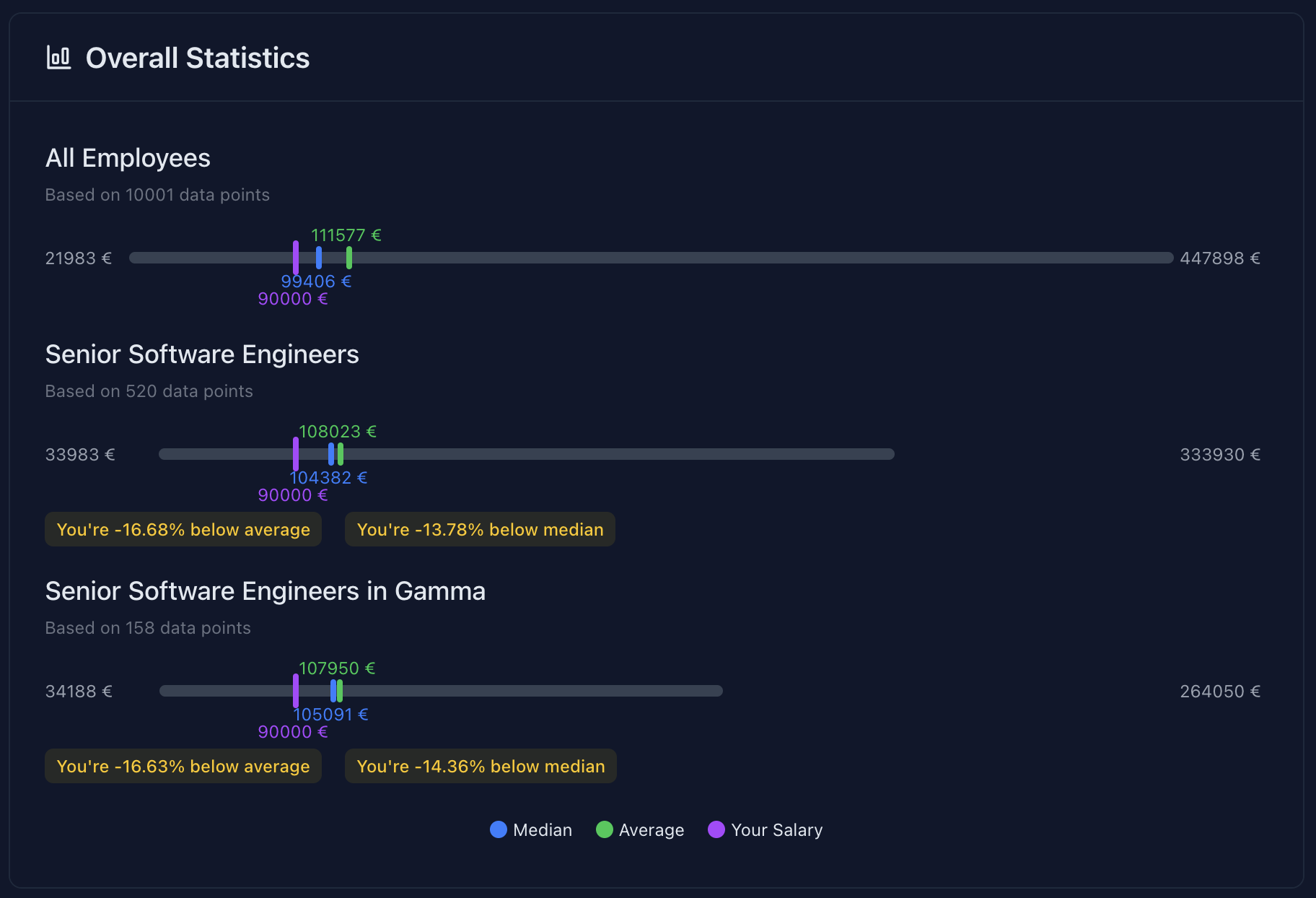
The bands are scaled to be relative to eachother, which helps compare a role across multiple seniority levels and see what future potential one has.
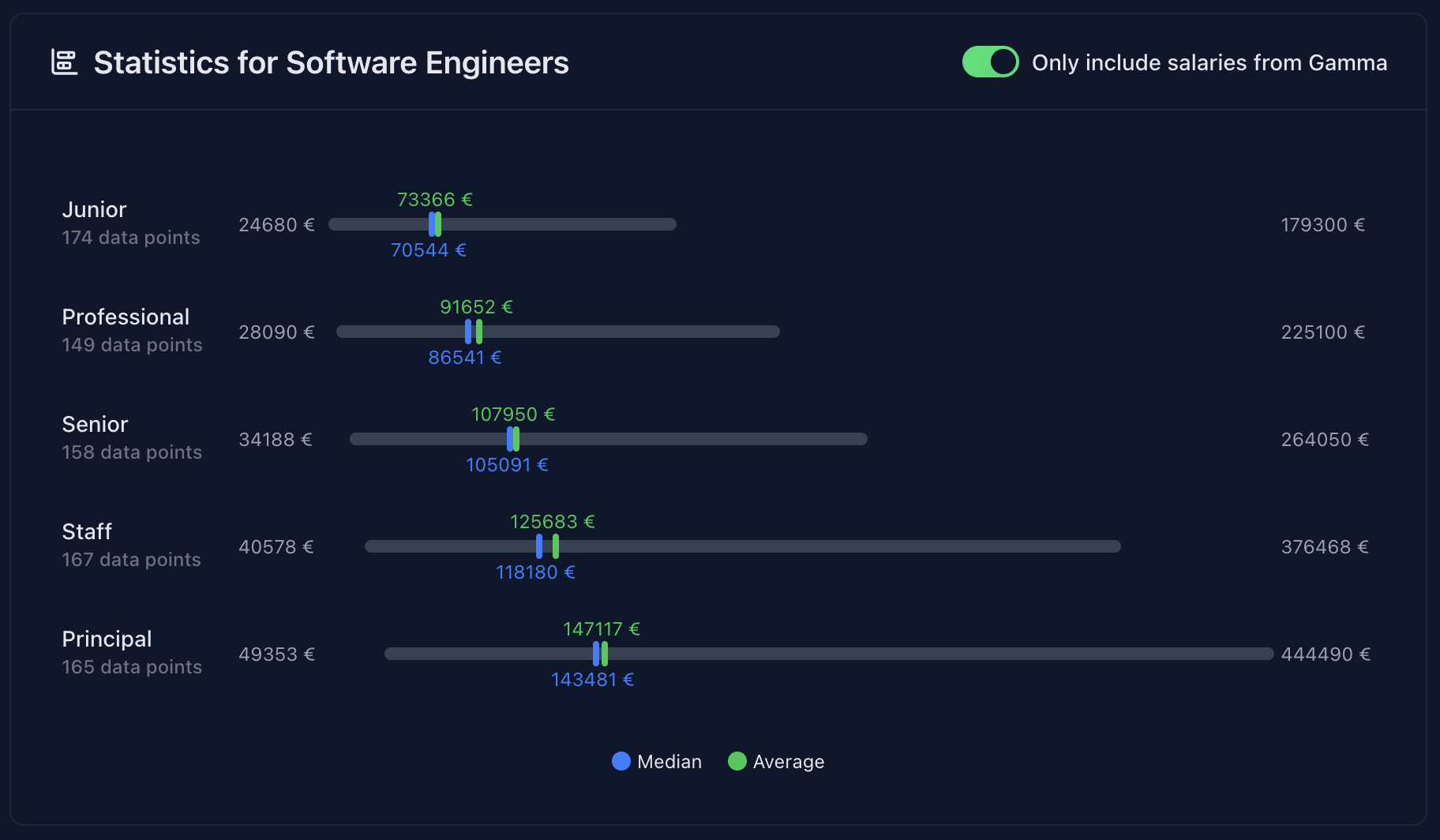
You can choose to view statistics normalized to the hours per week you work for, or in absolute numbers. This helps to give perspective and put things into context better.

When signing up, your email is securely hashed and stored in a way that nobody can (reasonably) link your account to your identity.
Statistics are only provided when their aggregate consists of at least 3 distinct datapoints, which ensures only aggregate data can be seen by end users.

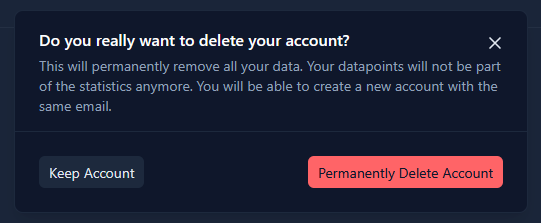
You can update, change, or delete all your data at any point in time. As long as you have control of your email, you have full control over the account. No data is kept after you delete your account, and statistics will not include your salary anymore.
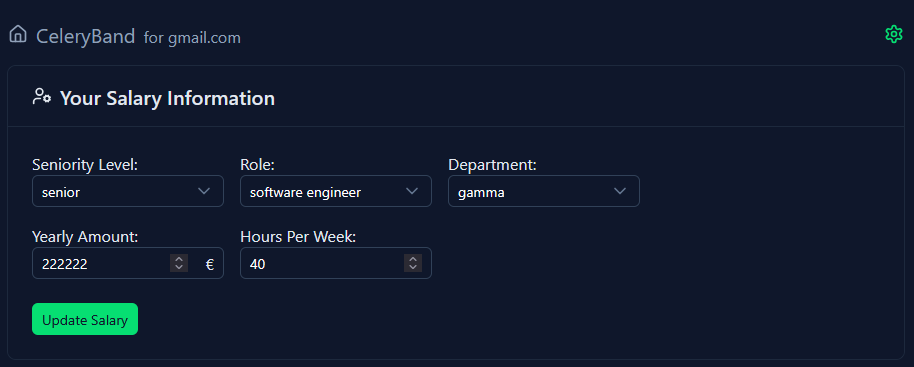
You (as the provider of the server) can configure what seniority levels, roles and departments are available to users. The currency symbol is also fully customizable, as the statistics don't care about conversion - all salaries share the same currency.
You can run CeleryBand in a few ways. We provide a container image as part of this repository which can be run using docker, kubernetes, or any other container runtime.
It is a monolithic image that, for simplicity's sake, includes frontend, backend and database all in one.
You can check out the example docker compose file or the test deployment's helm chart for some example configurations to follow along.
Configuration is split between a YAML file and environment variables.
Copy example.config.yaml to config.yaml, edit it, then mount it into the container:
serverUrl: "https://your-celeryband.com"
acceptedDomain: "your-company.com"
currency: "€"
disclaimer: null   # optional, set to null to disable

departments:
  engineering:
    label: "Engineering"
    roles:
      - software_engineer
      - product_manager
  sales:
    label: "Sales"
    roles:
      - sales_representative

# Roles are defined once and shared across departments.
# The "label" is optional — if omitted, it's auto-generated from the ID.
roles:
  software_engineer:
    label: "Software Engineer"
    seniorityLevels:
      - junior
      - professional
      - senior
      - staff
      - principal
  product_manager:
    seniorityLevels:       # label defaults to "Product Manager"
      - junior
      - professional
      - senior
  sales_representative:
    seniorityLevels:
      - junior
      - professional
- seniorThese values are passed as environment variables (or via .env):
# A random password with length of at least 32 to enable authentication within the service
NUXT_SESSION_PASSWORD=PLEASE_PROVIDE_A_SECURE_SECRET

# A random password with length of at least 32 to securely hash the emails
OBFUSCATION_SALT=PLEASE_PROVIDE_A_SECURE_SALT

# Your email server credentials for sending login emails
SMTP_HOST=dummy.smtp.com
SMTP_PORT=587
SMTP_USERNAME=dummyUser
SMTP_PASSWORD=dummyPasswordUsing devenv (Recommended)
devenv shellOr automatically enter it by using direnv:
direnv allowThen, start all processes:
upUsing nvm
nvm i
corepack enable pnpm
pnpm iStart the development server on http://localhost:3000:
pnpm devBuild the application for production:
pnpm buildLocally preview production build:
pnpm previewUse with caution, and never enable this in a deployed service!
If you don't have an SMTP server available, setting DEVELOPMENT_MODE=true in the .env starts logging the login link that would be sent, allowing you to use it to sign in without needing to receive it via email.